What is a fleet?
Within your sector, you have additional flexibility to organise your ressources: the fleets.
A fleet is a collection of ressources (vehicles and agents) associated with a depot. The depot is considered as the starting point of the vehicle during the route.
Some examples of fleet usage:
- Separating petrol and electric vehicles.
- Separating motor vehicles from bicycle-type vehicles.
- Isolating a provider's ressources.
- …
All your fleets are considered during optimisation.
How to set up a fleet?
Create a fleet
- Click on "add a fleet"
- Fill in the fleet information
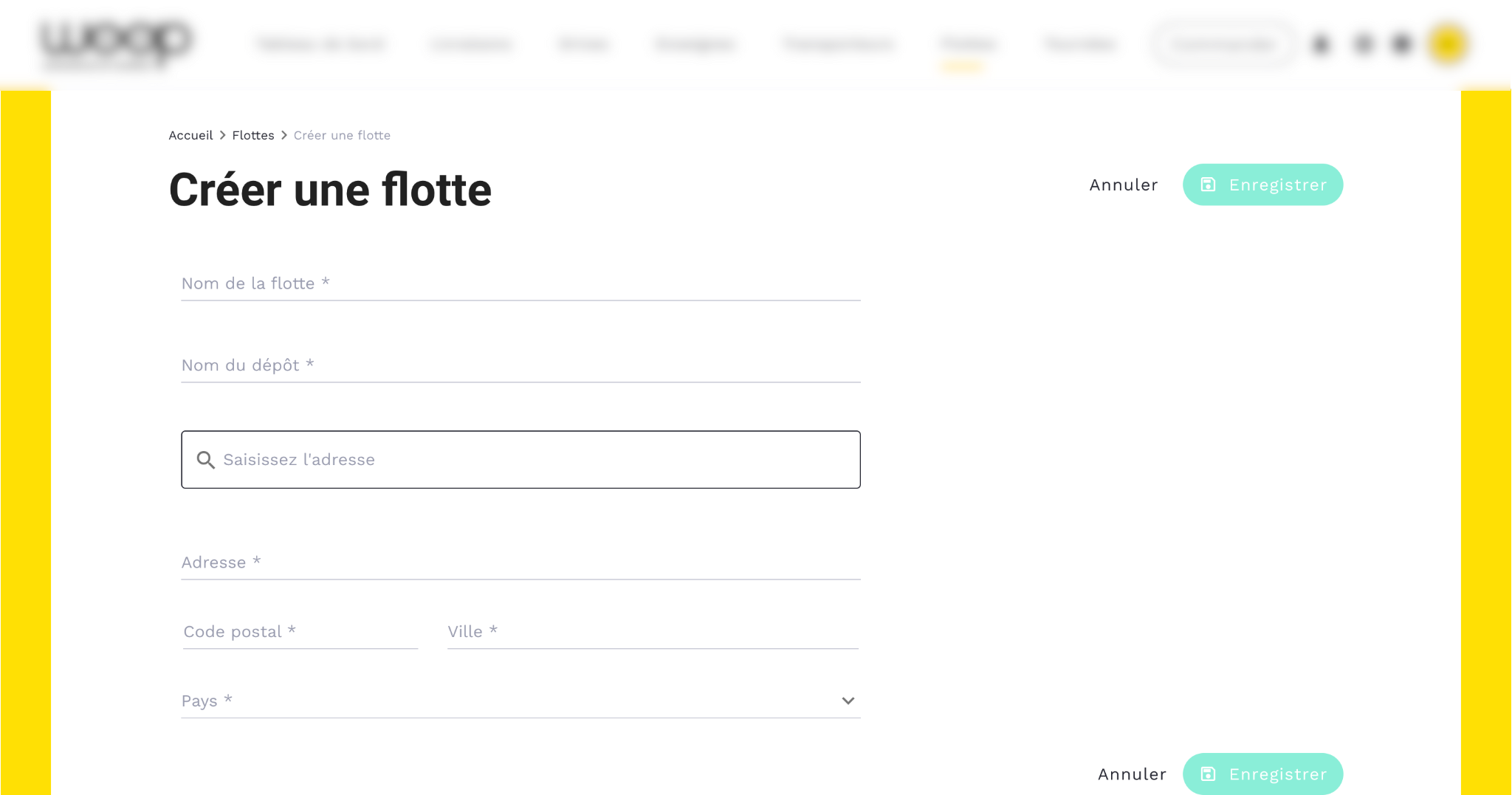
💡 The address will serve as the depot point for the route of the vehicles concerned.
Manage resources (agents / vehicles) 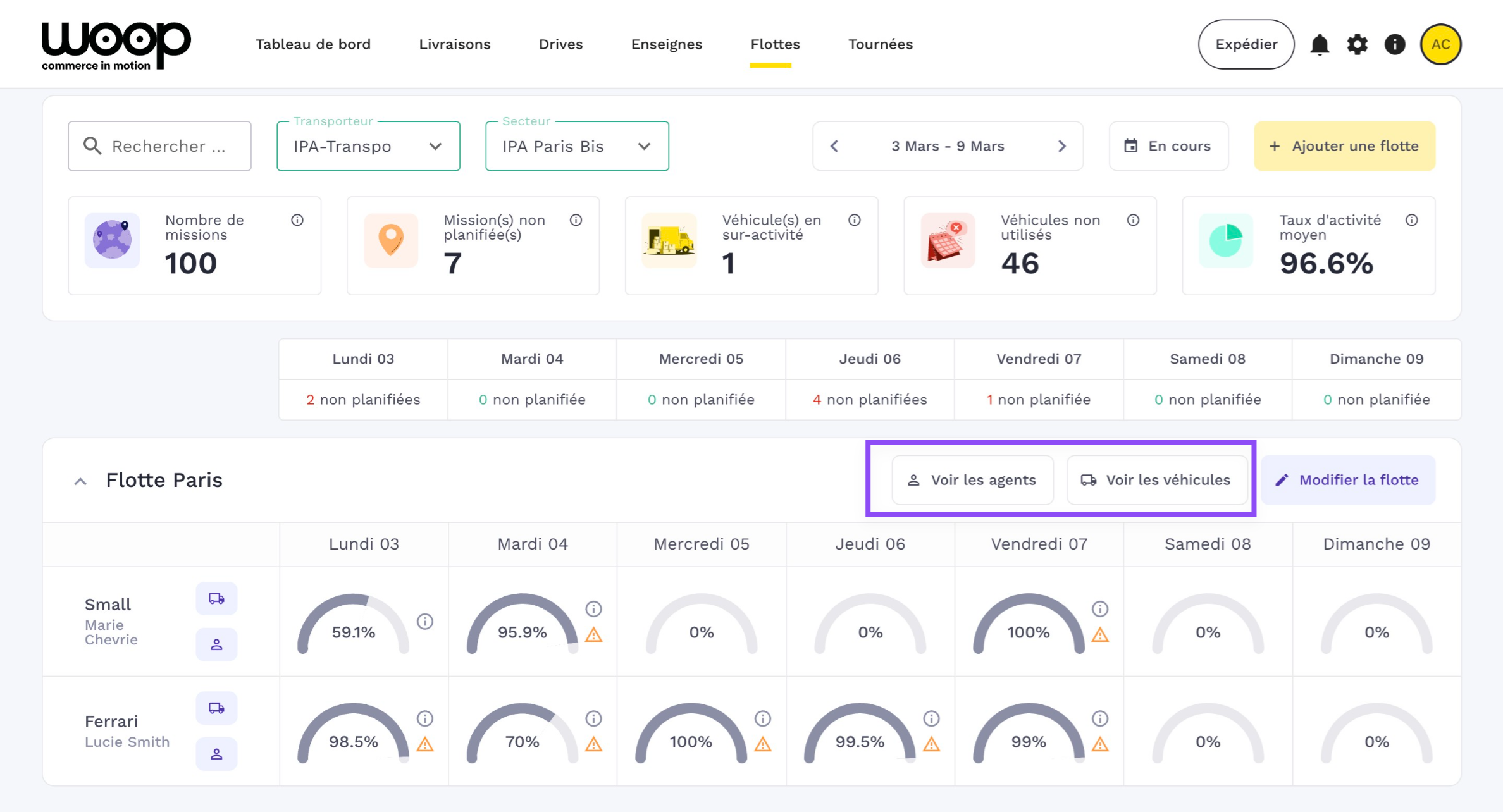
Once your fleet is created, you can then move on to creating your resources: vehicle and agent.
Manage daily activity
View unplanned missions by day of the week
Easily see if the day includes "unplanned" missions, meaning those that haven't been assigned to routes.
Check each vehicle's activity by day
For each day, an indicator, the Activity Rate, lets you know the vehicle's level of occupancy.
How is the activity rate calculated? It's a percentage that considers:
- The agent's maximum working time
- The agent's working hours
- The agent's maximum driving time
- The vehicle's transport capacity (Kg, parcels, pallets, dimensions...)
- The vehicle's maximum kilometres
💡 When the rate exceeds 70%, a small orange triangle alerts you. Hovering over it will show you the limiting factor. This is the factor from the list above that is closest to 100%, and therefore the most restrictive for adding more missions to the vehicle.
Detail of the vehicle's activity
Hovering over the "i" for information provides details about the vehicle's day:
- Number of routes completed
- Number of missions
- Working time span
- Planned kilometres
- Vehicle's transport capacity
Overall management
A set of statistics helps you better manage overall activity over the week:
- Total number of missions for the week
- Number of unplanned missions
- Overactive vehicles: those with an activity rate over 100% due to manual route changes
- Unused vehicles: number of days a vehicle is not used
- Average activity rate on working days